EdTech Website Design: Driving Enrollment with Better UX
Most prospective students decide within seconds whether a learning platform is worth their time — and a confusing layout, buried enrollment button, or slow-loading hero section will cost you that conversion before a single course description is read. EdTech website design is not just about looking credible; it is about removing every possible obstacle between a visitor and the moment they click “Enroll Now.”
- Course enrollment websites must prioritise clear hierarchy, fast load times, and frictionless CTAs to convert browsers into paying students.
- Social proof, structured course cards, and progress indicators are the highest-impact UX elements for online learning platforms in 2025.
- Bootstrap 5-based templates like the Canvas HTML Template give you a reliable, responsive foundation that accelerates EdTech builds without sacrificing flexibility.
- Small structural decisions — card layout, sticky enrollment bars, and trust signals — directly affect how many visitors complete registration.
Why UX Is the Real Enrollment Engine
Conversion rate optimisation in EdTech is not a marketing problem — it is a design problem. A prospective learner visiting your platform is already motivated. They searched for a course, clicked your link, and landed on your page. What kills enrollment at this stage is cognitive friction: too many choices, unclear pricing, no visible social proof, or a registration form that feels like applying for a mortgage.
Research consistently shows that reducing the number of steps to purchase — or in this case, enrollment — increases completion rates significantly. Every extra click, every ambiguous label, every paragraph the user has to scroll past to find the “Start Learning” button is a leak in your funnel. Good online learning website UX means designing with the learner’s anxiety in mind: Will this course actually help me? Is it the right level? How long will it take? Can I trust this platform? Your layout needs to answer those questions before the user has to ask them.

Structuring the Hero Section for Immediate Clarity
The hero section of a course enrollment website carries more conversion weight than any other part of the page. It needs to communicate who the course is for, what they will achieve, and how to get started — all above the fold. Avoid vague taglines like “Learn Anything, Anytime.” Replace them with outcome-focused headlines: “Become a Certified Data Analyst in 12 Weeks.”
Pair your headline with a single primary CTA button using a high-contrast colour drawn from your Canvas theme variable, and a subheadline that handles the most common objection (cost, time commitment, or prerequisites). The following is a working Canvas-compatible hero structure using Bootstrap 5 utility classes:
<section class="py-6 bg-light">
  <div class="container">
    <div class="row align-items-center g-5">
      <div class="col-lg-6">
        <span class="badge bg-color text-white mb-3">New Cohort — January 2026</span>
        <h1 class="display-5 fw-bold mb-3">Become a Certified Data Analyst in 12 Weeks</h1>
        <p class="lead text-muted mb-4">Live sessions, real projects, and a job placement guarantee. No prior experience needed.</p>
        <a href="#enroll" class="button button-large button-rounded button-fill"
           style="background-color: var(--cnvs-themecolor); border-color: var(--cnvs-themecolor);">
          Enroll Now — Free First Week
        </a>
        <p class="mt-3 small text-muted">4.9 stars from 2,400+ graduates · Cancel anytime</p>
      </div>
      <div class="col-lg-6">
        <img src="demos/images/edtech-hero.jpg" alt="Students learning online" class="img-fluid rounded-4 shadow">
      </div>
    </div>
  </div>
</section>
Notice that the CTA references –cnvs-themecolor directly — this keeps your button colour in sync with whatever theme colour you have set globally, so you never end up with mismatched brand colours across sections.
Course Card Design That Sells Without Pressure
Course cards are the workhorse of any EdTech catalogue page. A poorly designed card forces the user to click through just to find basic information. A well-designed card answers the four questions every learner asks at a glance: What will I learn? How long does it take? What does it cost? Is it credible?
Structure each card to include a course thumbnail, title, instructor name, duration, difficulty badge, star rating, and price. Keep the card height consistent across the grid so the page feels orderly rather than chaotic. The following Bootstrap 5 card component works cleanly inside Canvas’s grid system:
<div class="col-md-6 col-lg-4">
  <div class="card h-100 border-0 shadow-sm rounded-4">
    <img src="demos/images/course-thumb.jpg" class="card-img-top rounded-top-4" alt="Course thumbnail">
    <div class="card-body d-flex flex-column p-4">
      <span class="badge bg-success mb-2 align-self-start">Beginner</span>
      <h5 class="card-title fw-semibold mb-1">Python for Data Science</h5>
      <p class="small text-muted mb-2">by Dr. Sarah Kim · 18 hours</p>
      <div class="d-flex align-items-center gap-1 mb-3">
        <span class="text-warning">★★★★★</span>
        <span class="small text-muted">(1,280 reviews)</span>
      </div>
      <div class="mt-auto d-flex justify-content-between align-items-center">
        <strong class="fs-5">$149</strong>
        <a href="course-detail.html" class="btn btn-sm btn-dark rounded-pill">View Course</a>
      </div>
    </div>
  </div>
</div>
If you are building a multi-course catalogue, consider pairing this grid with a sticky filter bar (category, level, price range) so users can self-segment without leaving the page. For layout inspiration on structuring multi-section pages, the post on 10 Canvas HTML Template sections every landing page needs covers the supporting sections that complement your course grid.
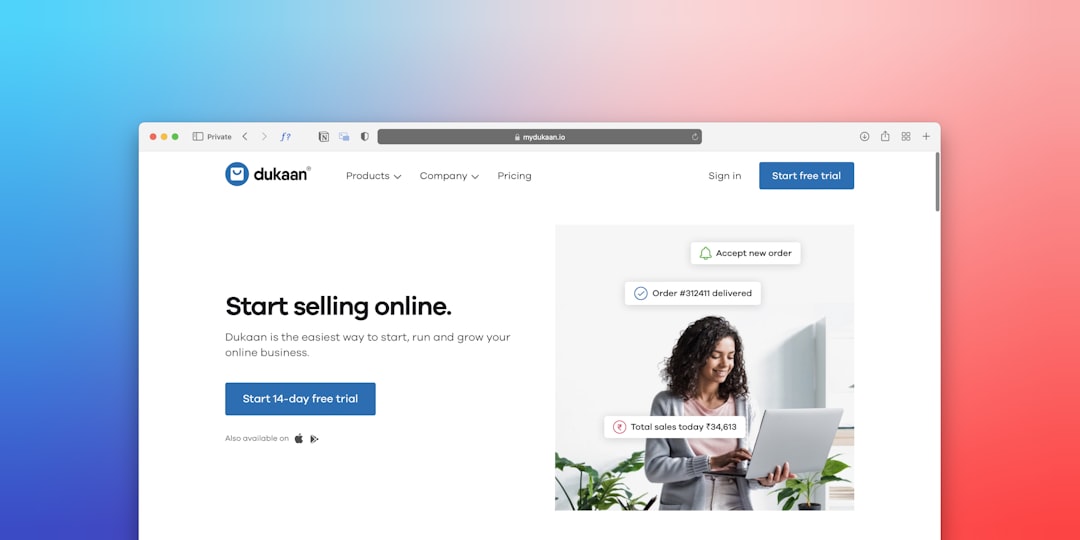
Embedding Social Proof at Every Decision Point
EdTech faces a unique trust challenge: learners are committing time as well as money, and they cannot easily evaluate course quality before purchasing. This makes social proof disproportionately powerful on an edtech website design. Place trust signals not just on the homepage but at the exact moments in the funnel where hesitation peaks.
Key positions for social proof include directly below the hero CTA (star rating + number of students enrolled), within course cards (instructor credentials), on the checkout or enrollment form page (a single strong testimonial quote from a graduate with a photo and measurable outcome), and in a dedicated alumni section. Outcome-based testimonials perform far better than generic praise. “I got a job at a fintech startup three weeks after finishing” is 10 times more persuasive than “Great course, highly recommend.”
You can also use a sticky enrollment bar that appears when the user scrolls past the hero — keeping the CTA visible without interrupting the reading flow. This pattern is common in high-converting SaaS pages too; the same principles apply, as covered in the SaaS website design guide for B2B homepages.
Reducing Friction on the Enrollment Form
The enrollment or registration form is where the most avoidable drop-off happens. Long forms, mandatory fields for information you do not actually need, and no progress indication are conversion killers. For most EdTech platforms, the initial signup should collect a maximum of three fields: name, email, and password — or ideally offer OAuth with Google or LinkedIn to reduce that to a single click.
If your course requires payment at enrollment, separate the account creation step from the payment step. A two-step checkout feels faster even when the total number of fields is identical to a single-step form. Below is a minimal, accessible enrollment form pattern:
<section id="enroll" class="py-6">
  <div class="container">
    <div class="row justify-content-center">
      <div class="col-lg-5">
        <div class="p-5 rounded-4 shadow border">
          <h3 class="fw-bold mb-1">Start Your Free Week</h3>
          <p class="text-muted mb-4">No credit card required. Cancel anytime.</p>
          <form>
            <div class="mb-3">
              <label for="fullName" class="form-label fw-medium">Full Name</label>
              <input type="text" class="form-control form-control-lg rounded-3" id="fullName" placeholder="Jane Smith" required>
            </div>
            <div class="mb-3">
              <label for="emailAddr" class="form-label fw-medium">Email Address</label>
              <input type="email" class="form-control form-control-lg rounded-3" id="emailAddr" placeholder="[email protected]" required>
            </div>
            <div class="d-grid">
              <button type="submit" class="btn btn-lg rounded-3 text-white fw-semibold"
                style="background-color: var(--cnvs-themecolor);">
                Create My Account
              </button>
            </div>
            <p class="mt-3 text-center small text-muted">
              By signing up you agree to our <a href="terms.html">Terms of Service</a>.
            </p>
          </form>
        </div>
      </div>
    </div>
  </div>
</section>
Keep the submit button label action-oriented and benefit-led — “Create My Account” or “Start Learning Free” outperform generic labels like “Submit” in every A/B test on record.
Building an EdTech Site Faster with Canvas and Canvas Builder
Building a full EdTech platform from scratch is time-consuming — but you do not need to start from a blank file. The Canvas HTML Template ships with pre-built section patterns for features, testimonials, pricing tables, and FAQ accordions that map directly onto the components an online learning site needs. You can customise the visual identity using CSS variables like –cnvs-themecolor, –cnvs-primary-font, and –cnvs-secondary-font without touching the core stylesheet.
If you want to move even faster, Canvas Builder generates complete, production-ready HTML layouts for Canvas using AI — so you can describe your EdTech page structure and get back a working layout with the right sections already assembled. For teams building multiple course landing pages or niche learning portals, this significantly reduces the repetitive layout work. The post on 12 niche website ideas you can build with Canvas HTML today includes EdTech among the verticals with the strongest use case for a templated HTML approach.
Frequently Asked Questions
What makes an EdTech website design different from a standard business website?
EdTech sites need to handle a unique combination of catalogue browsing, trust-building, and low-friction enrollment — all in a single session. Unlike a standard business website where the goal is to generate a lead, a course enrollment website often needs to complete a transaction. This means the UX must address credibility, course discoverability, and checkout flow simultaneously, rather than simply guiding users to a contact form.
How many CTAs should an online learning landing page have?
A focused course landing page should have one primary CTA repeated at logical intervals — typically in the hero, after the curriculum section, after testimonials, and immediately above the footer. Avoid introducing secondary CTAs that compete with enrollment, such as newsletter signups or demo requests, on the same page as a paid course offer.
Should I use a one-page or multi-page layout for a course enrollment website?
For a single flagship course, a long-form one-page layout performs well because it guides the user through a persuasive sequence without navigation distractions. For a multi-course catalogue or learning platform with distinct topic areas, a multi-page structure with a searchable catalogue is more appropriate. The decision ultimately depends on whether you are selling one course or many.
Can the Canvas HTML Template handle EdTech-specific features like course cards and pricing tables?
Yes. Canvas includes pre-built card components, pricing tables, testimonial blocks, FAQ accordions, and feature grids that cover the core layout needs of an EdTech site. You will likely need to customise the styling and content, but the structural scaffolding is already there, built on Bootstrap 5, which means all components are fully responsive by default.
What is the most important UX fix for an underperforming course enrollment website?
If your enrollment rate is low, the most common culprit is a weak or buried CTA combined with insufficient social proof near the point of decision. Audit your page by asking: is the “Enroll” button visible without scrolling? Does the user see a compelling reason to trust the course before they reach the form? Fixing those two issues alone — CTA visibility and outcome-based testimonials — typically produces the largest uplift in enrollment rates.
If you’re working with the Canvas HTML Template and want to generate production-ready layouts faster, try Canvas Builder free and see how much time you save on every project.